Tarkle vs DropSend: client portals and your own domain
DropSend emails large files. Tarkle adds file requests and your own domain on Free, and a client portal on Pro.
DropSend is a service for emailing large files. Tarkle is a platform for sharing and collecting files with clients. We make Tarkle, so read this as one vendor's view and check the sources linked below. DropSend facts come from its own pages, read in 2026.
What DropSend is
DropSend is run by SJA Enterprises, Inc., doing business as DropSend, according to its terms. You upload a file, enter the recipient's email address and send it. Its home page says you can add a password, download limit, or expiration date if needed, and see when each recipient opens the link and downloads the file. Its business page says the person receiving needs no account.
What DropSend offers
DropSend lists its plans on its home page. Free is $0, with files up to 2GB and 5 sends a month. Basic is $5 a month, Standard $9 and Professional $19. Business Lite is $45 a month, with 10 employee accounts and 250 GB of online storage. Business is $99 a month, with 100 accounts and 500 GB. The encrypted versions of the two business plans cost $69 and $129 a month.
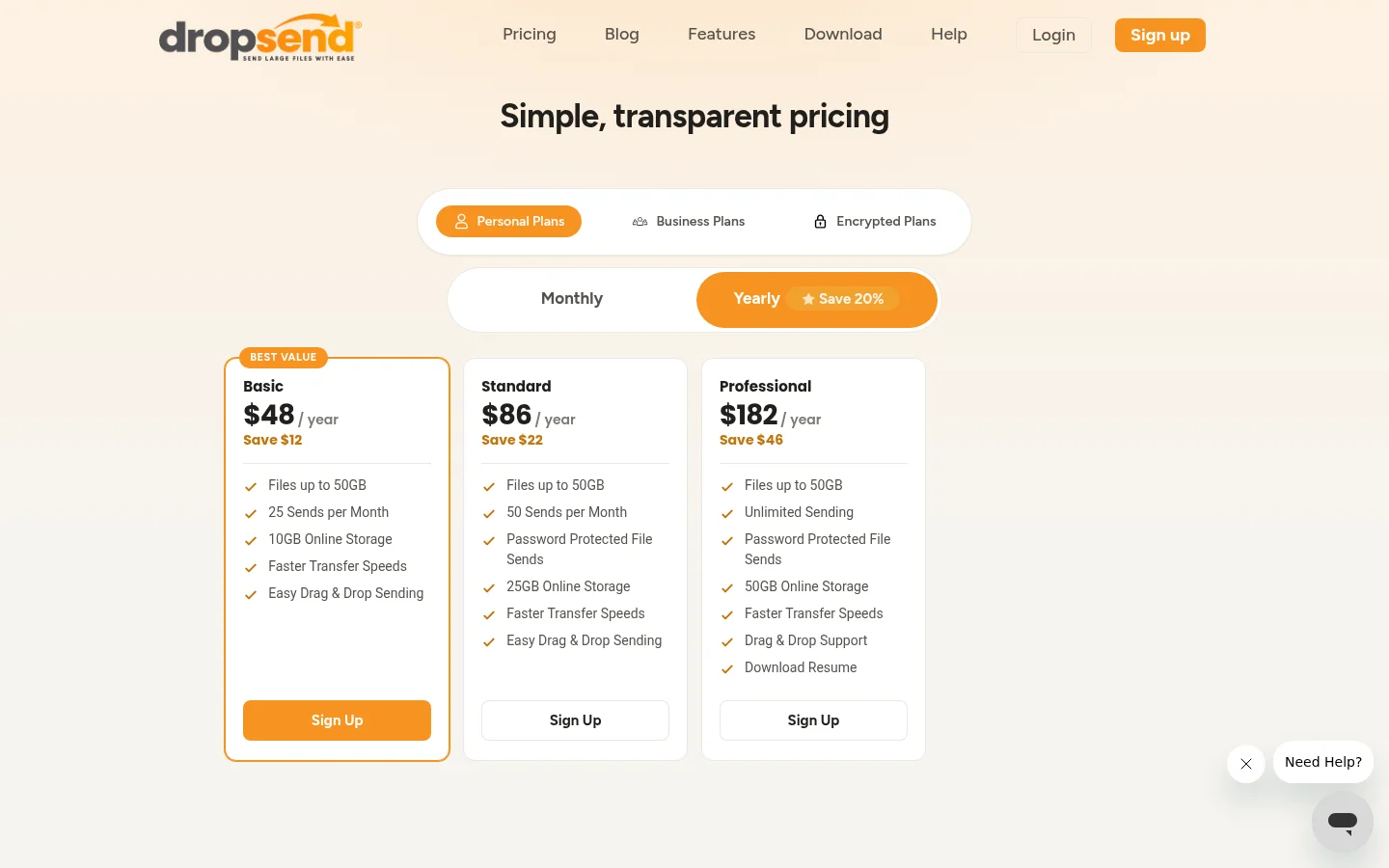
Each of the four business plans allows up to 50 GB per transfer. White label branding is on Business Lite and Business. Business adds a custom DropBox, which the business page describes as a way to send large files back to you. The home page lists a desktop app, an Outlook plugin, and iOS and Android apps. The pages we read in 2026 do not list a custom domain, a client portal or payment before download.
What Tarkle does
Tarkle is a cloud storage and file-sharing platform for freelancers, agencies, and client-facing businesses. You send files with a transfer, or ask a client to send files back with a file request. A public transfer link needs no account to download.
The Free plan includes 1 workspace, 5 GB of storage, file sharing and file requests, client feedback and approval, custom branding, a custom domain, and event management. Free lets you protect shared files with passwords. Free supports uploads and transfers up to 1 GB each. Pro is $29 a month, or $19 a month billed yearly, with 3 TB of cloud storage and files up to 200 GB. Agency is $59 a month, or $49 a month billed yearly, with 6 TB of cloud storage and 20 workspaces for clients.
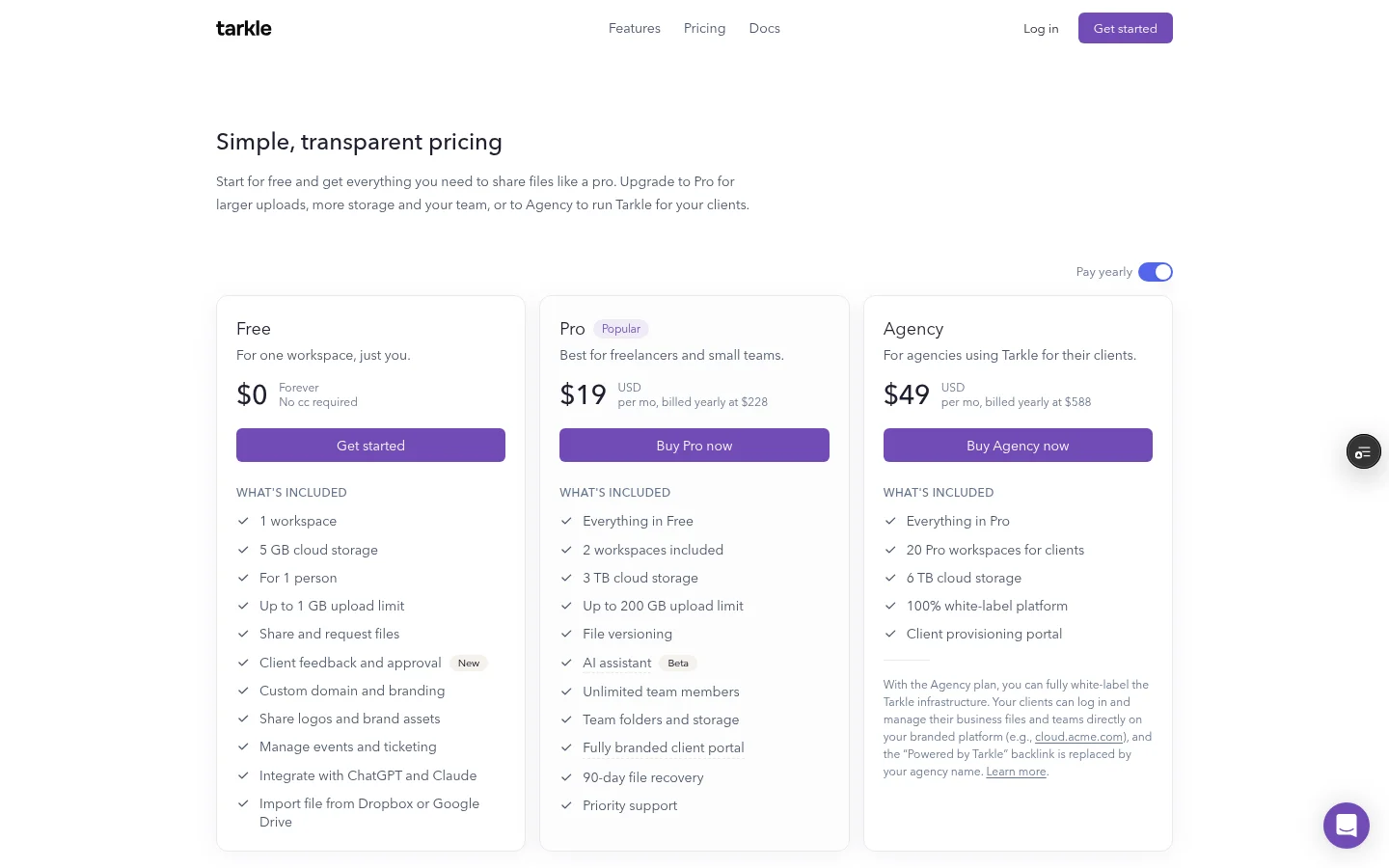
Free includes a custom domain, so your links can use your own address. The logo can be set on every plan, Free included, and the favicon needs Pro. On Free, the Powered by Tarkle line stays on your public pages. Pro can turn it off. On Agency, your agency name replaces the backlink once White label is on.
The client portal is included on Pro and Agency, and it is not included on Free. A client signs in with their email and a 6-digit code that Tarkle emails. You turn portal access on for each contact. On Agency, your clients log in on your branded platform.
For control, Free lets you protect shared files with passwords. Set an expiration date on a file transfer so its link stops opening the files after that day. Transfer status shows whether a transfer was delivered, viewed or downloaded. Slack can send alerts when files are viewed, downloaded or uploaded, and Slack needs the Pro or Agency plan. Paid transfers take payment through your own Stripe account, and they are a Pro feature. A paid transfer cannot use a password or an expiration date.
DropSend vs Tarkle
Tarkle | DropSend | |
|---|---|---|
Built for | Sharing, storing and collecting files with clients | Emailing large files |
Entry plan | Free, $0, 5 GB of storage | Free, $0, 5 sends a month |
Paid plans, monthly | Pro $29, Agency $59 | Basic $5 to Business $99 |
Largest file | 1 GB on Free, 200 GB on Pro and Agency | 2 GB on Free, 50 GB per transfer on paid plans |
Storage | 5 GB Free, 3 TB Pro, 6 TB Agency | 10 GB to 500 GB on paid plans |
Custom domain | Free and up | Not on the pages we read |
White label | Agency, with your agency name in place of the backlink | Business Lite and Business, logo and colors |
Client portal | Pro and Agency | Not on the pages we read |
File requests | Free and up | Custom DropBox on Business plans |
Tracking | Transfer status, Slack alerts on Pro and Agency | See when each recipient opens the link and downloads the file |
Payment before download | Pro and Agency | Not on the pages we read |
Who should choose DropSend
Choose DropSend if the job is sending large files by email, and you want to send from Outlook or from a desktop or phone app. Its home page lists an Outlook plugin and those apps. Its Free plan allows 5 sends a month, which suits an occasional file.
Stay with it if your clients already receive files through its Business plan and you do not need a client area.
Who should choose Tarkle
Choose Tarkle if files are part of how you serve clients. The client portal gives each client one place to find what you shared and send files back, instead of a trail of emails. A file request lets anyone with the link send files to a folder in your workspace, with no sign-in. A custom domain is on Free, so the links carry your own address. Transfer status shows what happened after you sent a file. If you charge for deliverables, paid transfers take payment through your own Stripe account, and they are a Pro feature. If you run an agency, Agency covers 20 workspaces for your clients.
The part Tarkle does not cover: the client portal and paid transfers need Pro or Agency. If you want to send from Outlook, DropSend is the one of the two that lists an Outlook plugin. For agencies, read the white-label Dropbox alternative for digital agencies and client portal vs file sharing to see which shape fits.
Switching from DropSend to Tarkle
Download the files you still need from DropSend. Its terms say that delivered files are removed automatically after 14 days on the Free version.
Create your Tarkle account and upload the files you need to your library. Files holds your stored files, and a file transfer is the link you send so someone can open them.
On the General tab in Settings, add your logo and accent color.
Connect your own domain. Add a subdomain you own to your workspace, set its DNS records and check that it shows as Active, as the custom domain guide explains.
Replace the DropSend drop box with a file request link for the clients who send files back. Send your next delivery as a transfer, with a password or an expiration date if you need one.
Move one active client first. Send them a transfer on your own domain and a file request, and keep DropSend running until that client has used both.
FAQ
Can DropSend use my own domain? The pages we read in 2026 do not list a custom domain. Tarkle includes a custom domain on Free.
Do recipients need an account? A public transfer link needs no account to download. A file request limited to one client organization opens only for signed-in members of that organization.
What to remember about Tarkle
Tarkle fits when files are part of how you deliver client work: file requests and a custom domain on Free, and a client portal on Pro. DropSend is the simpler pick for emailing one large file, especially from Outlook. Start for free and send one real transfer to a client.



