Secure file sharing for law firms: a workflow per matter
A step-by-step routine for small law firms: one folder and one request link per matter, with a deadline.

If your firm still collects passports, payslips, title deeds and signed forms as email attachments, you can replace that with one repeatable routine. This guide to secure file sharing for law firms walks a small immigration, family or property practice through it: one request link per matter, a deadline, a destination folder, final copies returned behind a password and an expiry date, and a record of what happened. It is a workflow guide, not legal advice, and it says nothing about what your professional rules require.
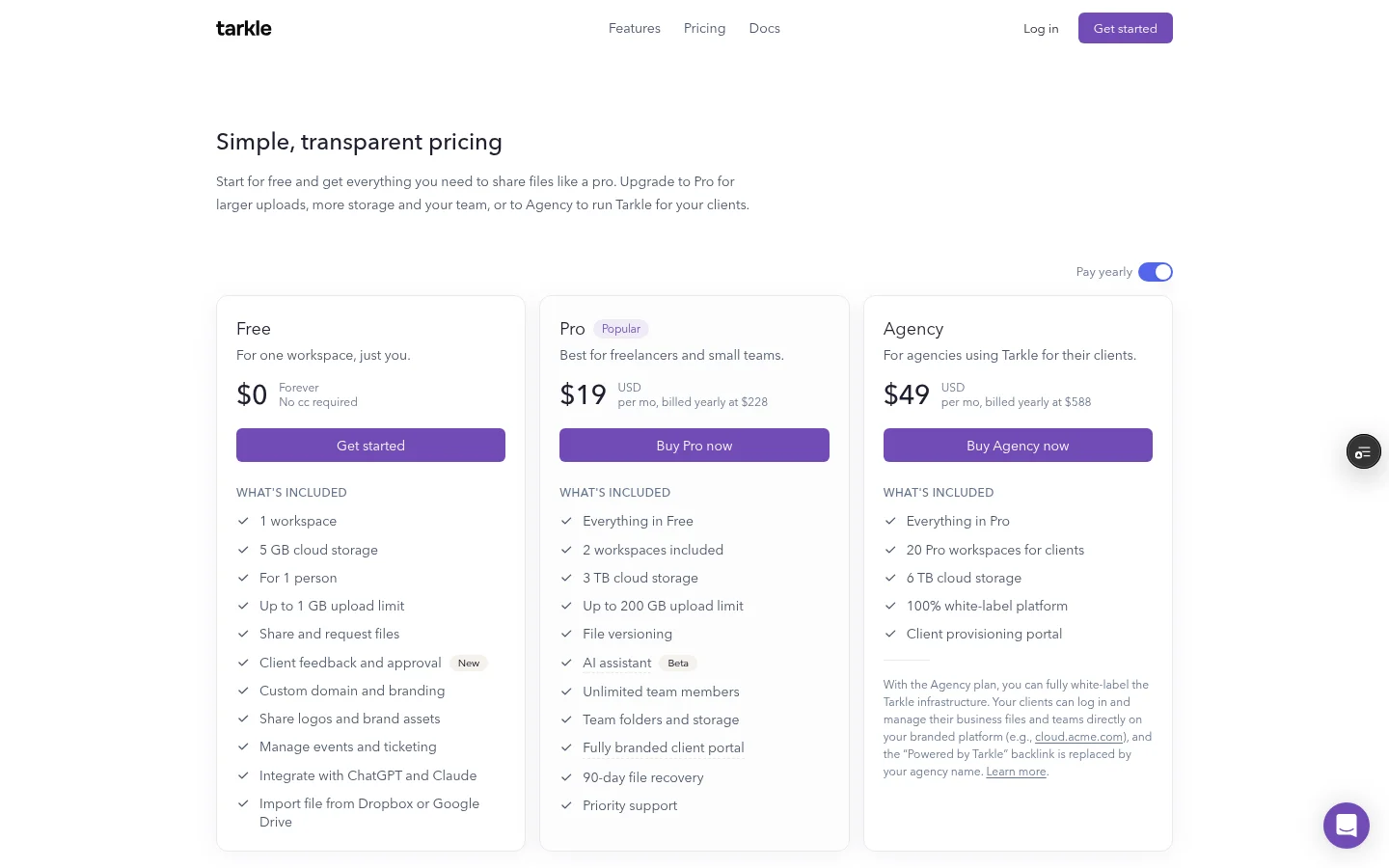
You can start on the Free plan, which needs no credit card and includes file sharing and file requests. Free covers one person and 5 GB of cloud storage, and it supports uploads and transfers up to 1 GB each. Password protection is on Free too, so you can run this routine on one real matter before you choose a paid plan. See plans and prices for the full list.
Why email attachments stop working for client documents
Email was built for messages, not for a client's forty scanned pages. Attachments hit size limits, photos arrive sideways, and the one document you need sits in a thread from three weeks ago that nobody can find. The paralegal who received it is on leave.
Document volume is the real strain in practices like immigration. The Caribbean National Weekly article on immigration firms, published in October 2026, says a contested immigration matter can generate four hundred documents, and that they do not arrive labeled: a phone photo of a birth certificate, a WhatsApp screenshot, a scanned passport with the corner cut off, and three versions of the same affidavit. The article's point is that firms which cope with this volume are not working harder. They built a system. A request link is one simple way to give every matter a single door.

Secure file sharing for law firms starts with one folder per matter
Before you ask a client for anything, create the place the answers will go. Use a simple pattern, such as client name, then matter number and type: "Okafor family / 2026-014 Spouse visa".
In Tarkle, files live in folders and the library, where you can search them, star the ones you are working on and filter by type. If several staff share the same workspace, team folders, included on Pro and Agency, give each team or department its own folders, so the conveyancing team does not scroll past family files.
Keep one folder and one request link per matter. When a client has two matters open, send two links. Everything that comes back through a link lands in one place, and nothing needs sorting by hand later.
A word on what to ask for. Tarkle's privacy policy says it does not intentionally collect special categories of personal data, such as health, biometric or religious data, and asks you not to upload them unless you have a lawful basis. Immigration and family files can include exactly this kind of material, so decide with your own advisers what you collect before you build the request.
Collect: send a request link with instructions
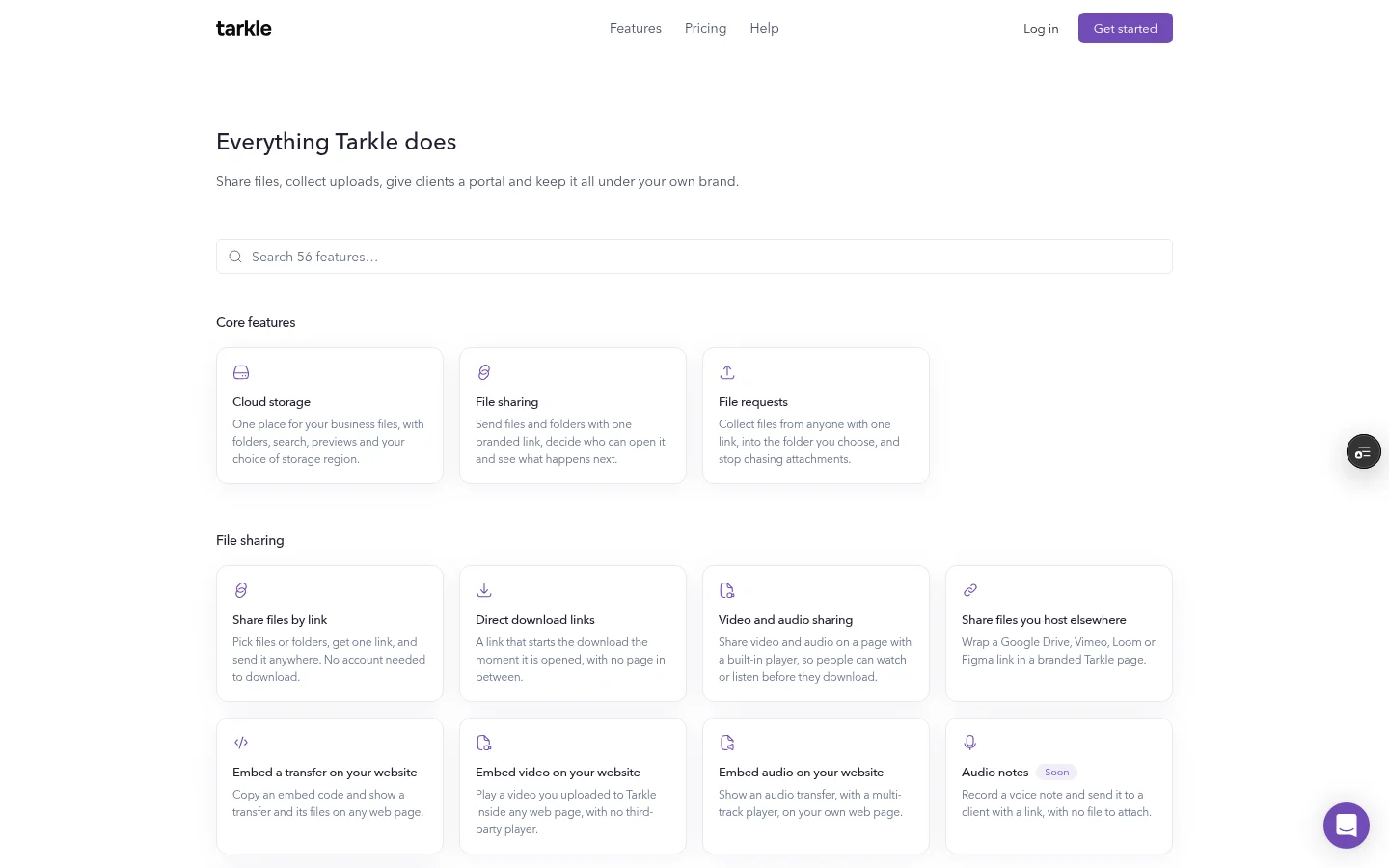
A file request is a link that anyone can upload to. You write a description that says which files you need, and you choose the folder the uploads go to. The client does not need to be taught a new system. They open the link, read what you need, and upload.
In Tarkle, create the request on the Requests page of your workspace, with a title and a description, and choose the folder for uploaded files. Each request gets its own sub-folder, named after its title, inside the folder you pick, so the title is worth choosing carefully. The box that sends you an email when files arrive is ticked by default. File requests explains the feature on its own page.
Good instructions name each document and say what a usable copy looks like. These are examples, so set your own standards for each matter type:
Passport photo page, all four corners visible, in colour.
Last three payslips, one file per month, named with the month.
Signed engagement letter, every page.
Proof of address, with the date you need it to fall within.
Write the instructions for a client reading on a phone. Short lines, one document per line, and the reason for each ("the application form asks for this") get you fewer questions and fewer wrong files.
If the client belongs to a company, such as a property developer or an employer sponsoring a visa, you can limit the request to that one client organization on Pro and Agency, instead of leaving it open. A limited request opens only for the members of that organization, and only once they sign in. An organization groups the contacts of one company or client, so you can manage them together. The client organizations feature page explains how the groups work.
Set a deadline and a limit on uploads
Tarkle lets you set a deadline on a request, from one day to three years ahead. Once the deadline passes, the request link no longer opens. You can also set an upload limit in MB or GB, which is the most a visitor can upload at once. A limit protects the folder from a client who sends a full phone camera roll by mistake.
Choose the deadline from your own calendar, not the client's. If a filing needs the documents on the 20th, set the request to close a few days earlier, and tell the client the reason in the instructions. Put a diary note on your side for the day before the deadline, and chase by phone if the folder is still thin.
The plan limits that matter most for this routine, as the pricing page lists them:
Plan | Cloud storage | Largest file | Team members |
|---|---|---|---|
Free | 5 GB | Up to 1 GB | One person |
Pro | 3 TB | Up to 200 GB | Unlimited |
Agency | 6 TB | Up to 200 GB | Unlimited |
Return final copies with a password and an expiry date
Sending final documents back by email puts the same attachments in the same inboxes you were trying to avoid. A transfer gives you more control. Send the final copies as a transfer to your client.
Two settings do most of the work:
Password protection: the recipient must enter a password before they can open the transfer. Free includes it.
An expiry date: you set a date after which the transfer or request link stops working.
For a single document that should be seen once, a one-time link stops working after its first download. It is not available on paid transfers, which cannot burn after read. If the client needs a second go, you can issue a fresh link. For anything the client may need to return to, such as a long contract, use an expiry date instead.
Never put the password in the same email as the link. Send the link by email and tell the client the password by phone or text message. If the email is forwarded or lands in the wrong inbox, the password does not travel with it.
If you sent something to the wrong person, you can disable the link in one click, and enable it again later.
Keep a record of what happened
When a client says "I sent that last week" or "I never got it", the answer should not rely on memory. Tarkle's activity log is a searchable record of what happened across your workspace. The activity page shows up to 50 actions in your workspace. You can search them by name and export selected rows as a CSV file, with the columns Date, Action, Resource, User and Type.
Senders and workspace administrators can see recipient activity, such as viewing, downloads and uploads. Tarkle's privacy policy explains that this is how file tracking works. Use the log as a working record of the matter, and ask your own advisers whether a record like this meets any rule that applies to your firm.
Add one habit to close the matter: when the file is done, export the rows for that matter and save the CSV in the matter folder.

Decide where the files are stored
Some clients, and some firms, care where documents physically sit. Tarkle lets you choose where your files are stored in Europe, the US, Asia-Pacific or Oceania. You choose the region when you create a workspace. Files stay in that region. You can change it one time, and a change has a fee, which the Billing page shows before you confirm. A move takes 3 to 5 business days.
This is a storage location, not a statement about your firm's obligations. Ask your own advisers which region fits your clients before you create the workspace.
Set this up today
Create a client folder, with one subfolder for each open matter.
Write a request with a description that lists each document, and send one link per matter.
Set a deadline a few days before the one you really need, and put a diary note on your side.
Send the final copies as a transfer with a password and an expiry date, and send the password by a different channel.
Export the activity rows for the matter when it closes, and save the CSV with the file.
The same routine works for other document-heavy work. See how to collect tax documents from clients securely for an accountant's version.
What to remember about Tarkle
In Tarkle, the routine runs on a request link with a description and a destination folder, final copies sent as a transfer with a password and an expiry date, and an activity log you can export as a CSV file. The Free plan, which needs no credit card, includes file requests and password protection, so you can run one real matter through it first. Team folders and client organizations are on Pro and Agency. Start for free.