Box for agencies: what to consider for client file sharing
Five checks for client file sharing: branding, access, file size and passwords, with where Box and Tarkle each fit.

Box for agencies makes sense when you need content management across a whole organization. When the job is delivering finished work to clients on your own domain and collecting files back, Tarkle covers it, and its Free plan lets you test that with real files before you pay. This guide runs five checks on client file sharing and shows where Box fits for each.
Last checked: November 2026. This is Tarkle's own view, and every Box fact links to Box's own page.
What does client file sharing need to cover for an agency?
Agencies share finished work, source files and approvals with many clients at once. Five checks decide whether a tool holds up:
Branding: your logo, colours and link address on what the client sees, not the tool's.
Client access: a link that opens without an account for a one-off delivery, and a sign-in place for clients you work with every week.
Per-client separation: each client sees only their own files.
File size: the biggest file you deliver, such as a video master or a design set, uploads and downloads in one piece.
Expiry and passwords: you decide how long a link works and who can open it.
Before you compare tools, write down your biggest file and the number of clients you serve today. Those two numbers rule out more tools than any feature list does.
Where does Box fit for agencies?
Box describes itself on its pricing page as "AI-powered content management for your business". That is a wide job: managing content across a whole organization. If your agency needs that, Box is built for it. For the narrower job of sharing finished work with clients, the five checks show how it lines up.
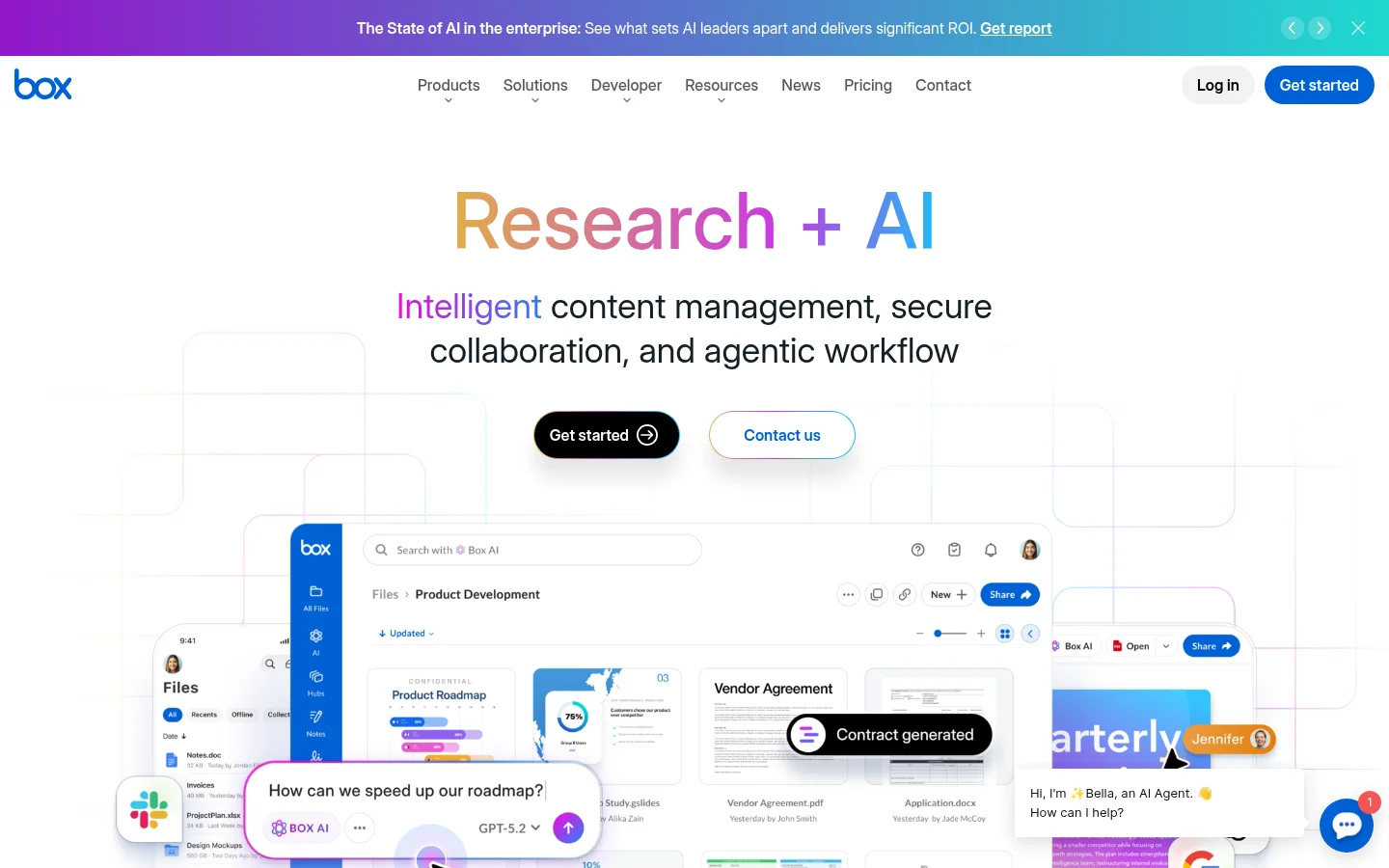
Branding. Box's page on account branding says custom branding "is available on Business, Business Plus, Enterprise, Enterprise Plus, and Enterprise Advanced plans". The custom setup tab lets an admin replace the default Box logo and color scheme with your company logo and color scheme across the Box product and its email notifications. Box also lets you set a custom subdomain, which your users see when they log in "as an alternative to" app.box.com, so the address stays a Box address. Shared links can take a custom ending, and Box's shared link settings say "Custom URLs are only available to Business and Enterprise accounts". New file requests can carry your logo and a colour scheme you choose.
Client access. Box's page on creating shared links says that with the "People with the link" setting, "Anyone with the link can access the item and no Box account is required". The same page says email verification "is available on Business plans and above", and that a link can use a password or email verification, but not both.
File size. Box's maximum file size page lists single-file upload limits for each account type. The limits are Free personal 250 MB, Personal Pro 5 GB, Starter 2 GB, Business 5 GB, Business Plus 15 GB, Enterprise 50 GB, Enterprise Plus 150 GB and Enterprise Advanced 500 GB. The same page says shared folders "enforce the file size limit that applies to the Folder Owner's plan", so check whose plan owns the folder a client uploads into.
Expiry and passwords. Box's shared link settings say "Password protection and auto-expiration are not available on free Individual accounts", so both need a paid plan. They also note that, depending on admin settings, you may be unable to create or edit shared link settings.
Security and compliance. Box's Trust Center lists SOC 1 & 2 Type II, HIPAA compliance, FedRAMP High Authorization and an ISO certification, among others, and some reports are provided under NDA. If a client contract names a specific certification, that can decide the choice by itself.
How does Tarkle cover the five checks?
Tarkle is a cloud storage and file-sharing platform for freelancers, agencies and client-facing businesses. The plans belong to your organization: Free, Pro and Agency.
Branding. A custom domain is available on every plan, so your links can open on an address like files.yourstudio.com. Custom branding puts your logo, colours and favicon on every transfer page, request page and portal. Free pages keep a Powered by Tarkle line. Pro can remove it, and Agency replaces it with your agency name on a 100% white-label platform, where your clients log in on your own domain, for example cloud.acme.com.
Client access. Recipients open or download shared files without creating a Tarkle account. For clients you work with every week, the client portal on Pro and Agency is a branded place where each client signs in with their email, sees only what you shared with them and sends files back.
Per-client separation. The portal already limits each client to what you shared with them. On Agency you also get 20 workspaces for clients, and your clients log in and manage their files and team on your branded platform. The workspace for every client page describes how they are set up. All 20 draw from the plan's shared 6 TB of cloud storage.
File size. Free supports uploads and transfers up to 1 GB each. Pro and Agency support files up to 200 GB, which covers sending large files such as video masters.
Expiry and passwords. Link expiration lets you set a date after which a transfer or request link stops working, and password protection requires a password before anyone can open a transfer. Shared files can be protected with passwords on the Free plan.
Security. Tarkle states that files are protected in transit and at rest, with access, expiration and revocation controls. Tarkle offers data residency in Europe, the United States, Asia-Pacific and Oceania.
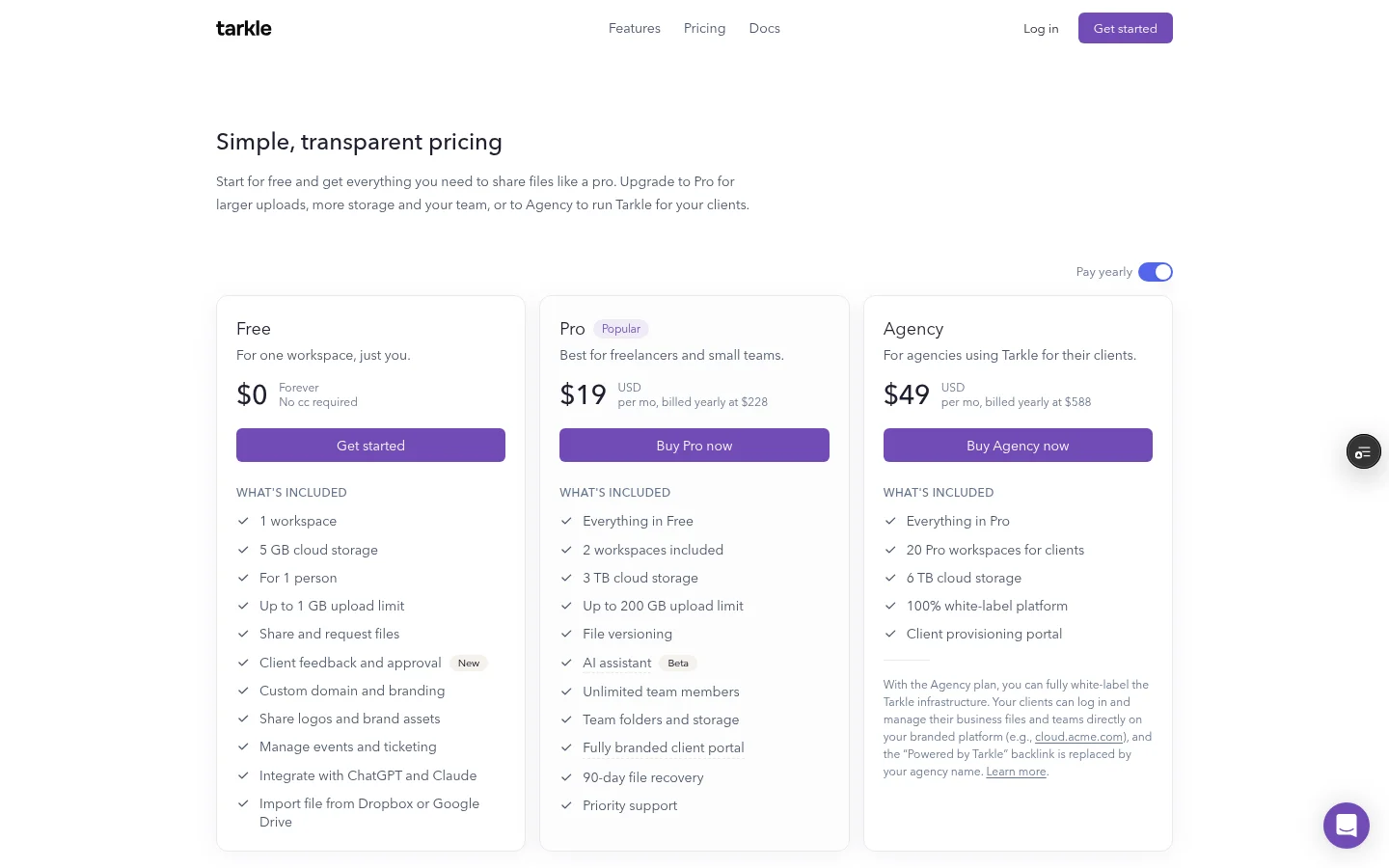
Free is $0 forever with 5 GB of cloud storage, for one person, and needs no credit card. Pro is $29 a month, or $19 a month billed yearly, with 3 TB of cloud storage and unlimited team members. Agency is $59 a month, or $49 a month billed yearly, with 6 TB of cloud storage and 20 workspaces for clients. The pricing page lists each plan in full.
Box and Tarkle side by side
Check | Box | Tarkle |
|---|---|---|
Branding | Custom branding on Business and above | Custom domain and branding on every plan, 100% white-label on Agency |
Link address | Custom link endings on Business and Enterprise accounts | Your own domain for sharing links |
Open without an account | Yes, with the "People with the link" setting | Yes, no account needed to open or download |
Largest single file | 250 MB Free personal, 2 GB Starter, up to 500 GB Enterprise Advanced | 1 GB Free, 200 GB Pro and Agency |
Passwords and expiry | Not on free Individual accounts | Password protection and link expiration |
Compliance | SOC 1 & 2 Type II, HIPAA, FedRAMP High and ISO listed on its Trust Center | Files protected in transit and at rest, with a choice of data residency region |
Which one fits your agency?
Box fits when your agency needs content management across a whole organization, when a certification from its Trust Center is part of a client contract, or when a single file above 200 GB is routine. Tarkle fits when the job is delivering work to clients and collecting files from them under your own brand, with a client portal, workspaces per client and your own domain. Some agencies keep internal content in one tool and use another to deliver files to clients.
To test either tool, upload a real project file, share it with a test client, open the link in a private window and check what the client sees.
Open the shared link on a phone as well as a laptop, so you see what a client sees on each.
For more on picking the tool, read client portal software for agencies and free file sharing for agencies.
What to remember about Tarkle
Tarkle gives agencies branded file sharing on their own domain, a client portal on Pro and Agency, and 20 workspaces for clients on Agency. The Free plan is $0 with no credit card, and recipients need no account to download. Start for free or see every plan on the pricing page.
This article was reviewed on August 17, 2026. Box plan features, pricing, upload limits, compliance coverage, support, external-sharing options, and branding capabilities can change. Tarkle pricing and feature details are based on the current Tarkle pricing page. Businesses should verify current product terms before choosing a platform.