Free file sharing for agencies: what works and when to upgrade
A free setup for sending work and collecting client assets, where Free stops, and when Pro or Agency fits.

Free file sharing for agencies can work for a small studio: you send finished work with one link, collect assets from clients with another, and both sit on your own domain. Tarkle Free covers that for one person at $0. This article shows the setup, then where Free stops, what happens if a paid plan ends, and when Pro or Agency is the better fit.
What does free file sharing for agencies need to cover?
An agency does two jobs with files. It sends work out (proofs, deliverables, final files) and it pulls material in (logos, copy, photos, signed documents). A free tool that only does the first leaves you chasing attachments for the second.
Tarkle Free includes one workspace, 5 GB of cloud storage, file sharing and file requests, client feedback and approval, custom branding, a custom domain and password protection for shared files. Uploads go up to 1 GB each. Free is for one person, so it suits a freelancer or a studio owner who handles client files alone. For a broader checklist that applies to any free tool, read free file sharing for business.
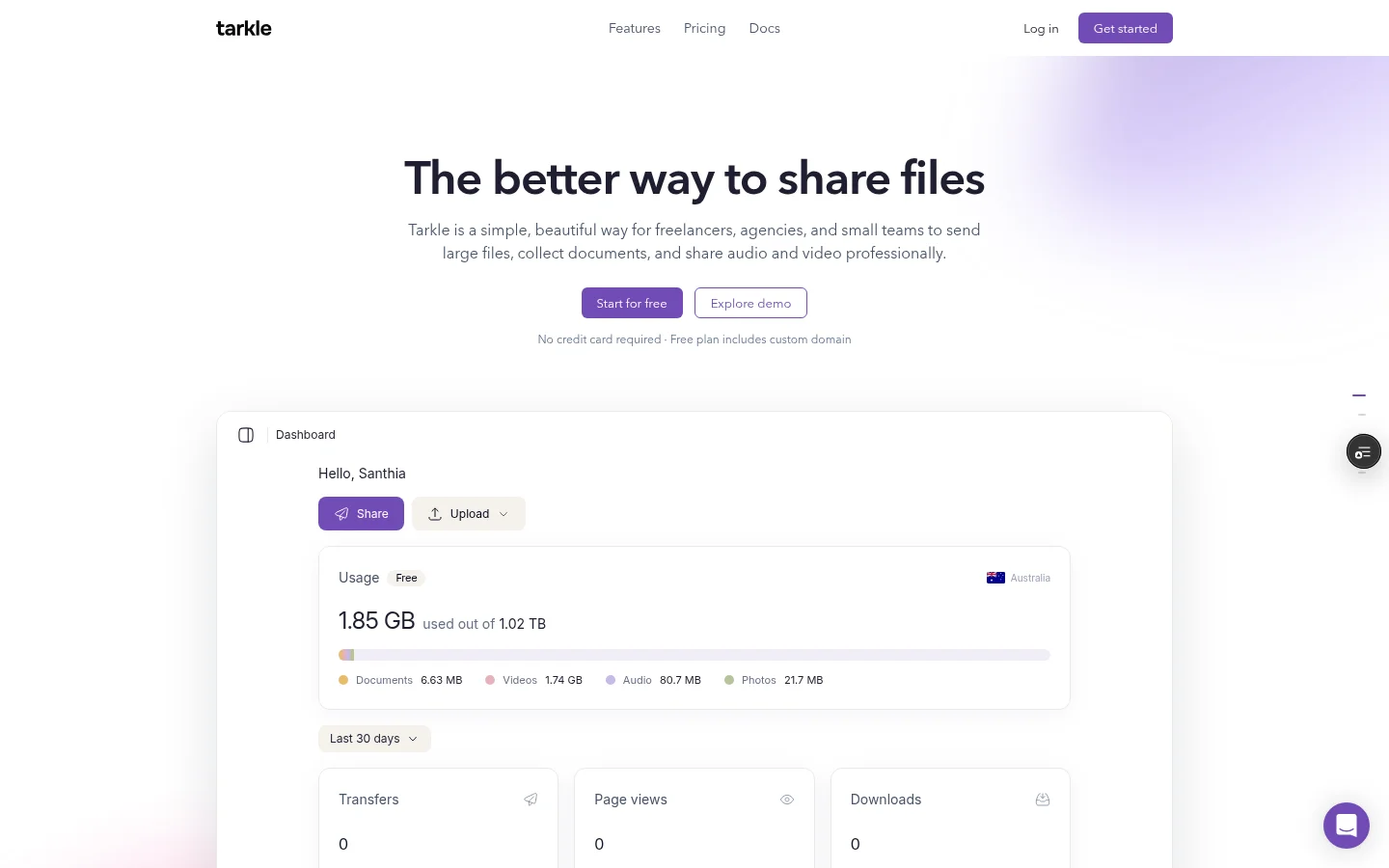
A free setup that works for client work
Set this up once and every client project follows the same pattern.
Put links on your own address. Connect a subdomain such as files.youragency.com with the custom domain feature. Tarkle shows the DNS records to add for the domain.
Add your logo and colours. Custom branding puts your logo, colours and favicon on your transfer, request and portal pages. On Free the "Powered by Tarkle" line stays on your pages and cannot be switched off.
Make one folder per client. Inside it, use the same subfolders every time, for example
01-brief,02-from-client,03-proofs,04-final. You find anything in seconds, and so does a colleague you hand the job to later.Send work as a transfer link. Pick the files or folder, get one link, and send it. A public link needs no account to download. A transfer limited to one client organization needs a signed-in member of that organization. Add a password and an expiry date for anything sensitive; see link expiration.
Collect assets with a file request. Create a request, choose the folder it saves to, and send the link. A public request lets anyone with the link upload without an account, and a request can be limited to one client organization. Tarkle creates a folder named after the request inside the folder you picked, so the files arrive in one place rather than as attachments in an email thread.
Get feedback on proofs. For images and PDFs, client feedback turns a proof into a review board the client comments on and approves with one link.
Create the file request before the kickoff call and put the link in the kickoff email. Clients upload brand assets while the project is still exciting, not three days before the deadline.
How should you name files and links?
Good names do the work a version system would do. Free has no file versions, so a new upload never replaces the file already in the folder. When a name is already taken, Tarkle treats it as a conflict and saves the upload as a separate file with a new name, or skips it, depending on how the file arrives and the choice made. So put the version in the name.
A pattern that holds up: client_project_asset_v03_2026-10-30.pdf. Client first, so a folder sorts well. Version as a number, never "final-final". Date last. Send only the latest version to the client and keep the older ones in your own folder. The post on version confusion with clients goes deeper.
For links, a name with the client and the stage ("acme-logo-proofs") tells you what is behind the link when you read your sent email months later. Choosing your own link names is part of custom transfer links. Name the transfer and the folder clearly either way.
Set an expiry date on every proof link, and send a new link for each round.
Where does free client file sharing stop?
Free stops in places that matter to an agency.
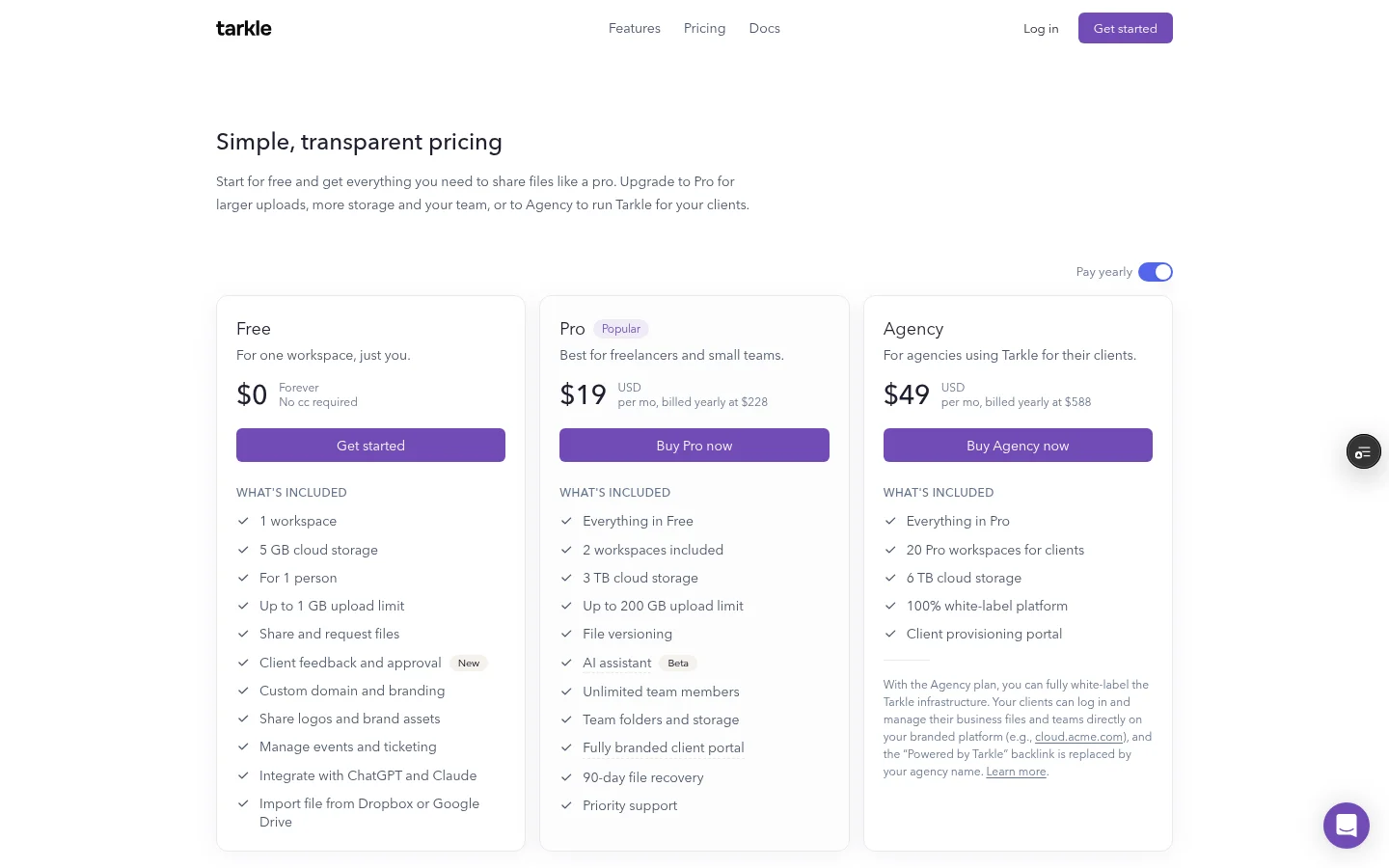
One person, one workspace. Free is for one person in one workspace, so every client lives in the same workspace. A teammate who needs to upload or share files needs Pro, which includes unlimited team members.
Size and storage caps. Video, large design files and photo sets reach that quickly. Each plan has limits on storage, file size, transfers and team members. When you reach a limit, uploads may stop until you free up space or upgrade, and reaching a limit does not delete existing files.
Limits on transfers and file requests. The Terms of Service set limits for every plan, and the pricing page lists the current limits for Free, Pro and Agency.
No client portal. The client portal is on Pro and Agency, and a workspace on Free sees the message "Client portal is not available for this workspace."
"Powered by Tarkle" stays on your pages. Your logo, colours and domain show, and so does that line.
No file versions. File versioning and the AI assistant (Beta) are listed under Pro. See file versions.
Shorter recovery. A deleted file waits in the recovery bin for 30 days on Free and 90 days on Pro. See file retention and recovery.
One more rule: under the Terms of Service, Free accounts with no sign-in or workspace activity for 6 consecutive months may be deleted, after at least one notice.

When does Pro make sense for an agency?
Pro costs $29 a month, or $19 a month billed yearly ($228 a year). It includes everything in Free, plus 2 workspaces, 3 TB of cloud storage, uploads up to 200 GB, file versioning, unlimited team members, team folders and storage, a fully branded client portal, 90-day file recovery, an AI assistant (Beta) and priority support.
Pro fits when a second person has to work in the account. It also fits when a file goes over 1 GB, or when you want each client to sign in and find their own files.
The client portal is a branded place where each client signs in with their email. Give the client a contact with portal access turned on. The client enters their email on your portal's login page, Tarkle emails a sign-in code, and no password is needed. The client sees only what you shared with them and sends files back. If you are unsure whether you need it, client portal vs file sharing walks through the choice.
When is Agency the better fit?
Agency costs $59 a month, or $49 a month billed yearly ($588 a year). It includes everything in Pro, plus 20 workspaces for clients, 6 TB of cloud storage, a 100% white-label platform and a client provisioning portal. When the owner of the Agency organization turns on White label, your clients log in and manage their files and team on your own domain, such as cloud.acme.com, and the "Powered by Tarkle" backlink is replaced by your agency name.
That is a different job from Pro. Agency gives each client a branded workspace of their own, with their own storage, sharing and portal. The 6 TB is shared storage for the workspaces in your organization, not 6 TB per client. You can give a client workspace its own storage amount, so it cannot use your whole shared pool.
Agency fits an agency that wants clients to see its own platform. Read white label for agencies and a workspace for every client before you decide.
What happens if a paid plan ends?
When a paid plan ends, your workspace moves to the Free plan at the end of the paid period. Free is a permanent plan.
If your content is over the Free limits, you will not be able to upload new files. You can still download your files for 30 days. After that, the Terms of Service say we may delete content above the Free limits, newest uploads first, unless you upgrade or reduce your usage first. Tarkle emails you before any deletion. The client portal needs an eligible Pro or Agency organization and the portal setting turned on, so it stops working once the plan is no longer Pro or Agency.
Before you cancel or downgrade, delete finished projects you no longer need and download an archive of the rest. Then you decide what stays, not the deletion order.
Next step: test the free setup on one project
Run the setup on your next real project, not a test file:
Connect your custom domain and add your logo and colours.
Create the client folder with the same four subfolders.
Send the kickoff email with a file request link.
Share the first proof as a transfer with a password and an expiry date.
Note the first moment Free gets in your way: a file over the size limit, a second person, or a client who wants a login. That is your signal to move to Pro or Agency.
If you want to try it, send one real file to a client on your next project.
What to remember about Tarkle
Free covers client work for one person at $0. Pro adds a fully branded client portal, and Agency adds a 100% white-label platform for clients. Start with Free on one real project, then move up when a second person, a file over 1 GB or a client login is the reason. Start for free and send one real file to a client.
