
Tarkle vs Air.inc: branded file sharing or an asset library
Air.inc is a visual asset library with AI. Tarkle is branded file sharing for clients. Plans, limits and who fits.
Tarkle vs Air.inc comes down to one question: is your main job a searchable library of visual assets, or sending finished files to clients under your own brand? Air.inc is the better fit for the library. Tarkle is the better fit for sending files to clients, with a client portal, passwords, expiry dates and paid downloads. We make Tarkle, so read this as one vendor's view and check the sources linked below.
What Air.inc is
Air is a visual workspace for creative teams. It keeps images, video and documents in one searchable place, and you can find an asset by what is in it, not by its file name. Air also adds review and approval, and its Canvas feature uses AI for resizing, generating variations and removing backgrounds.
What Air.inc offers
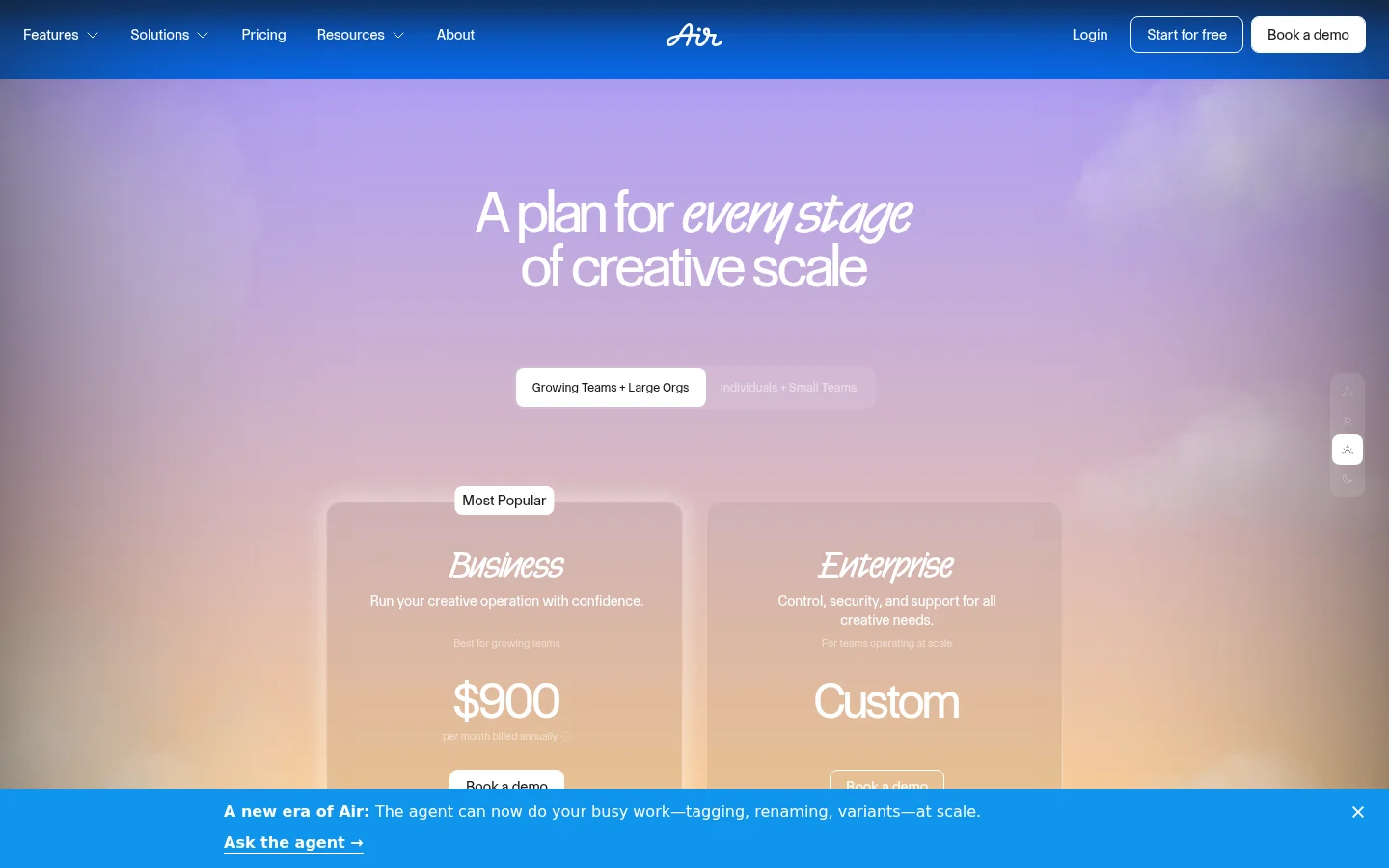
Air's help center lists four plans, read in October 2026 on its pricing and plans article:
Free: Air's Free plan has 10 GB of storage, up to 3 users and 100 credits a month. Its pricing page says it has no time limit and needs no credit card.
Starter: $125 a month or $1,200 a year, 200 GB, up to 5 users, 500 credits a month, and passcode-protected links with expiration dates.
Business: $1,100 a month or $10,800 a year, 2 TB storage, unlimited workspace users, 2,000 credits a month and advanced sharing permissions.
Enterprise: a custom plan, set by agreement.
Extra storage comes in 1 TB steps at $500 a year, on Business and Enterprise only. Check the current price on Air's pricing page before you decide.
Air also lists a desktop app, Air Flow desktop sync, and integrations with Figma, Canva and Adobe Premiere. It offers timestamp commenting on video. AI credits cover generation features like Canvas generations.
What Tarkle does
Tarkle is a cloud storage and file-sharing platform for freelancers, agencies and client-facing businesses. Plans and prices come from Tarkle pricing:
Free: free to use forever, with no credit card. 5 GB, one workspace for one person, and files up to 1 GB.
Pro: $29 a month, or $19 a month billed yearly. 3 TB, files up to 200 GB, 2 workspaces, a fully branded client portal, file versioning and 90-day file recovery.
Agency: $59 a month, or $49 a month billed yearly. Everything in Pro, 20 workspaces for clients, 6 TB and a 100% white-label platform.

You can share files by link, protect them with a password, set an expiry date, and request files from clients.
On Pro, and on Agency, each client can have a client portal. You turn portal access on for each contact. The client signs in with their email address and a one-time sign-in sent to it. There is no password to set up. Then they see only what you shared with them and send files back.
Images and PDFs go on a review board. Reviewers pin comments to the exact spot and finish with Approve this work or Request changes. Reviewers do not need an account. A board holds one kind of file, all PDFs or all images, and video and audio are not supported.
You can charge for access to a transfer through your own Stripe account, so buyers pay before they can open or download the files. Paid transfers need a Pro plan.
Tarkle also shares logos and brand assets on brand pages, and it can host audio and video for clients.
A custom domain is available on every plan. On Agency, you turn on white label, and your organization's name and website replace the Powered by Tarkle line on every workspace your account owns. Your clients log in and manage their files and team on your own domain.
You can choose where your files are stored: Europe, the United States, Asia-Pacific or Oceania.
Air.inc vs Tarkle
Tarkle | Air.inc | |
|---|---|---|
Free plan | 5 GB, one person | 10 GB, up to 3 users |
Storage on paid plans | 3 TB of storage on Pro, 6 TB on Agency | 200 GB on Starter, 2 TB storage on Business |
Client access | a fully branded client portal on Pro | passcode-protected links with expiration dates on Starter |
Review | Review boards for images and PDFs | Review and approve without switching tools |
AI | AI assistant (Beta) on Pro | AI credits, covering generation features like Canvas generations |
Read the table as two different products: each row shows what a plan includes, not which job each product does best.
Who should choose Air.inc
Choose Air if the library is the product. You can find an asset by what is in it, and that is the job a large visual library is built for. Air also fits teams that work in Figma, Canva or Adobe Premiere and want a desktop sync app. If you review video frame by frame with your team, Air's timestamp commenting on video is the closer fit.
Who should choose Tarkle
Choose Tarkle when you send files to clients and want a fully branded client portal. Pro gives a freelancer or small studio a branded client portal, 3 TB of storage and files up to 200 GB, for $29 a month, or $19 a month billed yearly.
On Agency, each client can have a workspace of its own, and the plan includes 20 workspaces for clients. Every workspace draws from your organization's shared 6 TB pool. You can give a workspace a storage limit so one client cannot use the whole pool, or reserve space that other workspaces cannot use.
The two plans are not like for like.
The limit to know: Free is for one person, with files up to 1 GB. Review boards take PDFs and images, not video or audio. For frame-by-frame video review, Air's timestamp commenting on video is the closer fit.
You can start for free and send one real transfer to a client.
Switching from Air.inc to Tarkle
Create a Tarkle account and your workspace.
Add your logos and brand assets to a brand page.
Connect a custom domain, which is available on every plan.
Download the files you still need from Air and upload them to Tarkle in matching folders. If copies also sit in Dropbox or Google Drive, import them from there.
On Pro, add each client as a contact and turn portal access on for them. On Agency, each client can have a workspace of its own, within the 20 workspaces for clients.
Send one real transfer to a client and check how it looks on their side.
Move one active client first and keep Air running for the rest. When that client has received a transfer on your domain, move the next one.
FAQ
Is Air.inc free? Air's Free plan has 10 GB of storage, up to 3 users and 100 credits a month. Its pricing page says it has no time limit and needs no credit card.
Is Tarkle free? Yes. Tarkle is free to use forever on its Free plan.
Where does Tarkle store my files? You can choose Europe, the United States, Asia-Pacific or Oceania.
What to remember about Tarkle
Choose Air.inc when a searchable visual library with AI editing is the main job. Choose Tarkle when the main job is sending branded files to clients and getting files back, on your own domain. Start for free to send one real transfer and see it on the client's side.



