White label client portal: what to check before you choose
Seven checks before you choose a white label client portal, from domain and logo to storage and plan changes.

A white label client portal is a signed-in place, on your own address and under your own name, where each client finds the files you shared with them. Use this checklist to compare a white label client portal with a file link, and to check any vendor before you choose one.
Client portal or file link: what is the difference?
A file link is one page for one delivery. You send a link, the client opens it, downloads the files and moves on. A link can carry your branding and sit on your domain, but it has no memory of the client.
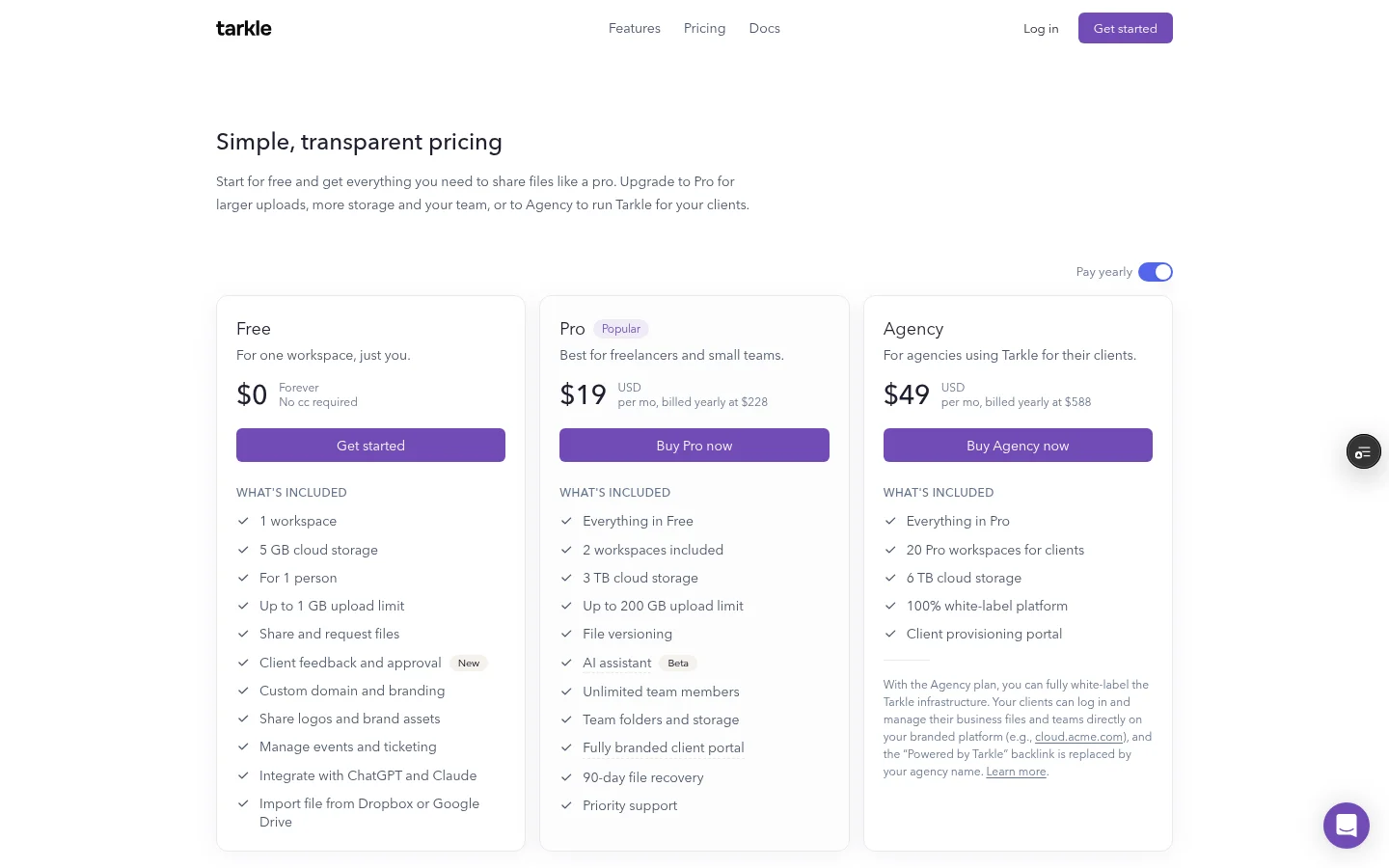
A client portal is a home the client returns to. They sign in and see what you shared with them over time. In Tarkle, a branded client portal is available on Pro and Agency: each client signs in with their email, sees only what you shared with them and sends files back.
The practical test is repetition. If you deliver to the same client every week or month, a portal saves them from searching old emails for last quarter's link. If you deliver once and never again, a link is enough.

What a white label client portal looks like to the client
White labelling is about what the client sees. Your logo, colours and favicon go on the portal through custom branding. The address can be yours too. Custom domains are available on every plan. Agency also lets you run Tarkle entirely on your own domain, like cloud.acme.com, with your clients logging in there. On Agency, your agency name appears where the tool would normally say "Powered by" the vendor.
Clients sign in with their email and a 6-digit code that Tarkle emails to them, so there is no password to type. The invitation link goes to your domain only when your organization domain is active. Otherwise it is a tarkle.com link.
Open your own portal in a private browser window and read it as a client would. Look at the address bar, the sign-in page, the invitation email and the footer. Any place the vendor's name shows up is a place a client may ask "what is this?"
The checklist: what to check before you choose
Run these seven checks against every portal you consider. Write the answers down, because vendors phrase the same thing in different ways.
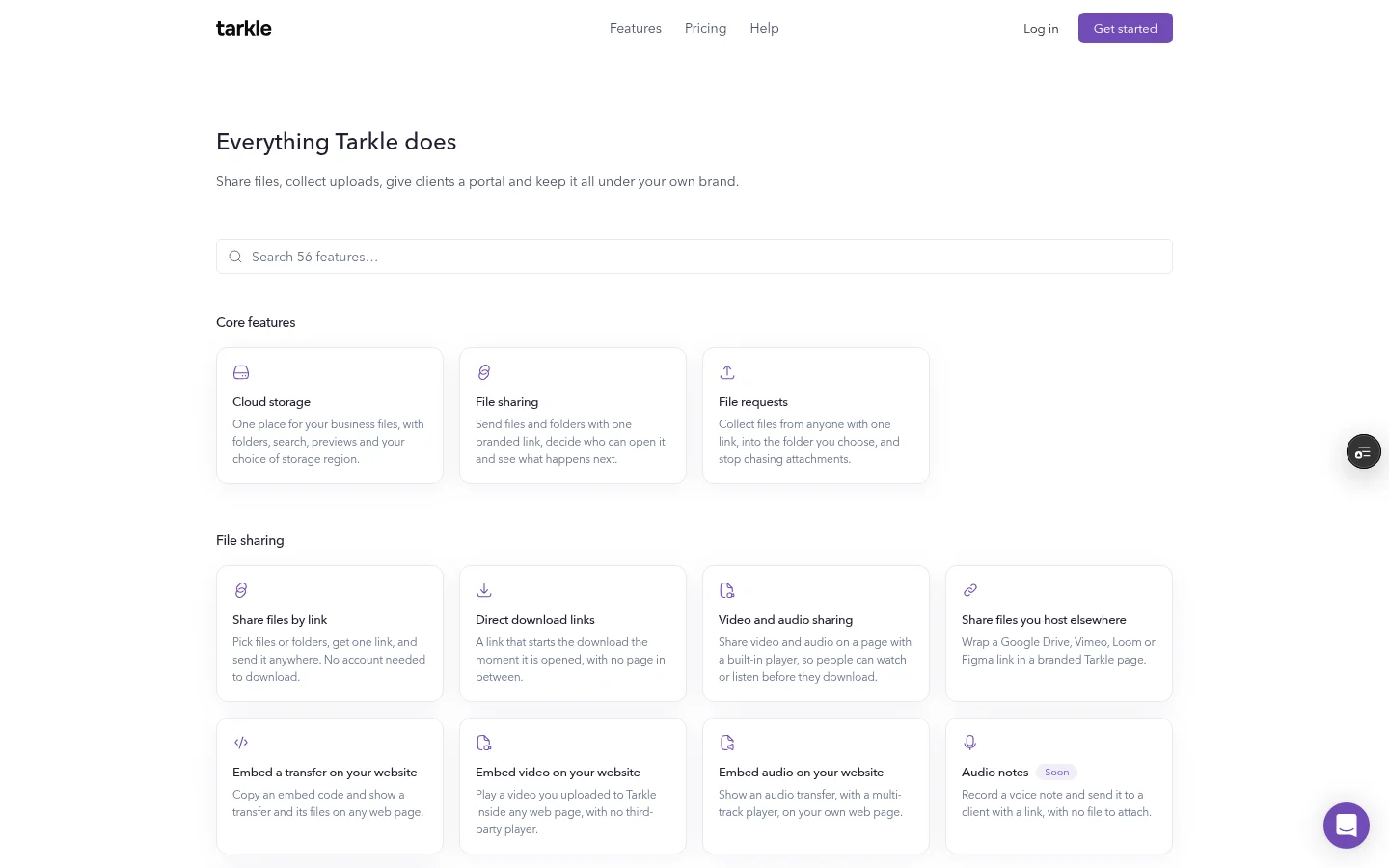
Your own domain. Can clients sign in at an address you own, or only at a vendor's subdomain? Custom domains are available on every plan, and on Agency the whole platform can run on your own domain. The custom domain feature opens your links and client portal from your own address.
Logo and colours. Can you set a logo, a favicon and colours that carry through to the portal? Tarkle's custom branding covers your logo, colours and favicon on every transfer page, request page and portal.
The "Powered by" line. Ask whether it can be removed or replaced, and on which plan. In Tarkle the line is locked on for Free. Pro lets you switch it off. Agency replaces it with your agency name. On a tarkle.com address the line always shows, even on Agency. Read white label for agencies for what changes.
How client accounts are created. Do you invite each client one by one, or can they register themselves? On Agency, open the workspace hub and choose New workspace, then For a client, and enter the client's email. Tarkle sends the client an invitation as Admin, and the client uses an ordinary Tarkle account.
How many clients are included. Count your active clients today and the ones you expect in a year. The Agency plan includes 20 workspaces for clients. If you expect more, know that at 20 the Hub shows a contact card to ask for more.
Storage for each client. Can you limit what each client workspace stores? On Agency you can enter a storage amount for a client workspace when you create it, and set or change it later with Assign limit. All client workspaces share the plan's 6 TB of shared storage.
What happens if you stop. Ask what your clients see on the day your plan ends, and how long you have to get files out.
What happens if you stop paying
This check gets skipped most often, and it is the one clients feel. When a paid plan ends, your workspace moves to the Free plan at the end of the paid period. On Agency, your client workspaces follow the organization. The organization falls back to Free, which allows one workspace, white label stops, and client workspaces over that cap are suspended. If your content is over the Free limits, you will not be able to upload new files. You can still download your files for 30 days. After that, we may delete content above the Free limits, newest uploads first. We will email you before any deletion.
Before you move a client onto any portal, ask the vendor for their cancellation and data retention terms in writing, and keep a copy of your own client files outside the portal.
Ask any vendor the same question: does the portal stay up, and for how long can you export?
When a plain branded link is enough
You do not need a portal for every agency. A branded link is enough when you deliver finished work once per project, when clients rarely come back, or when you have fewer than a handful of ongoing clients who are happy to receive an email each time.
In that case, put your logo and colours on the transfer page, open your links from your own domain, and name your links so they read like part of your brand. For the setup steps, read our guide to branded file sharing links. Move to a portal when clients start asking where an old file went.
Offering the portal to your own clients
There are two different jobs here, and it helps to keep them apart. On the Agency plan you serve your own clients under your name. If you want to distribute Tarkle under your own name, that is the Tarkle reseller program, on Reseller or Reseller Pro. See Resellers for what it includes and the reseller program article for how it works. Read the reseller terms before you promise anything to your customers.
Next step
Make a shortlist of two or three portals, run the seven checks on each and score them side by side. If Tarkle is on the list, try it with real files on the Free plan, then check the plans before you decide. The client portal is included on Pro and Agency.
What to remember about Tarkle
Tarkle gives each client a branded portal where they see only what you shared with them, and it is included on Pro and Agency. Agency adds a 100% white-label platform and 20 workspaces for clients, and it replaces the "Powered by" line with your agency name. Tarkle is free to use forever, so you can try it with real files first: Start for free.