Brandfolder alternative: do you need a full asset manager?
Six questions to tell if you need Brandfolder's full DAM, or if a brand page for logos and fonts is enough.

If you are searching for a Brandfolder alternative, first check whether you need a full digital asset manager at all. Brandfolder is built for teams with large libraries and several people managing them. If your real job is to keep logos, colours, fonts and images in one place and share them with your team or a client, a brand page may be enough.
This article gives you the questions to ask before you book a demo and a fair look at what Brandfolder does well. It also covers what Tarkle does and where a DAM is the better tool.
What Brandfolder is built for
Brandfolder describes itself as digital asset management software that helps you easily organize, control, create, distribute and measure creative assets (Brandfolder product page, read October 2026). It is part of Smartsheet (Brandfolder FAQ, read October 2026).
Its search is powered by Brand Intelligence, and the same product page says it integrates with Adobe Creative Cloud, Figma, Sketch and Canva. Its FAQ says guest users are free and unlimited, and that its average onboarding process takes 1.6 months.
Premium adds asset analytics, which shows how your top assets are used. Enterprise adds a vanity URL and finer organizational controls for several teams, brands or customers. Both plans are listed on its pricing page.
Six questions that decide whether you need a DAM
Answer these with your own numbers before you compare tools.
How many people manage assets? One or two people uploading and updating brand files rarely need roles, collections and permission layers. A team of ten across several brands does.
Do clients need access? If clients only need to download the latest logo pack, a link or a brand page does the job. If they need to browse a large library and upload new work for review, you are in DAM territory.
Do you need AI search? Search by image content and auto-tagging pay off once you have thousands of files. With a few hundred files and sensible folder names, they rarely do.
Do you need approval steps? Ask who signs off, on what, and how often. A multi-step review across many assets is a DAM job. A client saying "approved" on a delivery is not.
Which integrations must work? Name the tools. Brandfolder says it integrates with Adobe Creative Cloud, Figma, Sketch and Canva. If your designers must pull assets straight into one of them, check that integration first, whatever you buy.
What does it cost per person, per year? Ask for the full quote, including add-ons and onboarding. Brandfolder's FAQ gives an average onboarding time of 1.6 months, which is worth weighing against how fast you need to be live.
Write the six answers on one page and bring it to every demo. If you answer "no" or "not yet" to AI search, approvals and integrations, ask the vendor what you would be paying for.

Who should choose Brandfolder
Choose Brandfolder if your team manages a large and growing library and wants to search it by content, not just by file name. Its search is powered by Brand Intelligence. It also fits if you need separate controls for several teams, brands or customers, or analytics on how your top assets are used. Designers who work in Adobe Creative Cloud, Figma, Sketch or Canva should test that integration in a demo before they commit.
Who should choose Tarkle as a Brandfolder alternative
Choose Tarkle if the job is smaller and more direct: a brand's logos, colours, fonts and images on one clean page, shared with your team or a client by link.
Brand pages are a clean page for a brand's logos, colours, fonts and images, to use inside your team or share with a client. Free includes sharing logos and brand assets, with 1 brand page. Pro is unlimited.
Free includes one seat, which is you. Pro has unlimited team members, and you can invite your team as Owner, Admin, Member or Viewer.
Your links can carry your brand too. Free gives your workspace one custom domain, and Free has no domain for new brand pages. Pro and Agency give each brand page its own domain. Custom links, which let you name a link such as files.yourstudio.com/t/brand-assets, are available on Pro. On Free, a Powered by Tarkle line stays on your pages. Pro can remove it.
For agencies, the Agency plan is a 100% white-label platform. Your clients log in and manage their files and team on your own domain, and the "Powered by Tarkle" backlink is replaced by your agency name.
What a brand page does not replace
A brand page holds the logos, colours, fonts and images you add to it. If you need a library you search by what the images show, or assets that sync into Adobe or Figma, that is the job of a DAM such as Brandfolder.
Client feedback and approval is on Free as well. Reviewers comment on a board and never need an account. Free holds 5 active boards, and Pro and Agency have no board limit. It covers sign-off on a delivery.
Feature comparison
Built for: Brandfolder is digital asset management software. Tarkle is file sharing with brand pages for logos, colours, fonts and images.
Search: Brandfolder's search is powered by Brand Intelligence. A brand page shows the logos, colours, fonts and images you add, so a DAM is the right tool when search across a large library is the job.
Review: Tarkle has client feedback and approval on Free, Pro and Agency, and reviewers need no account.
Client access: Brandfolder offers free and unlimited guest users. Tarkle shares by link and brand page, and a fully branded client portal is on Pro and Agency.
Domains: Brandfolder lists a vanity URL on Enterprise. Free gives your workspace one custom domain, and Pro and Agency give each brand page its own domain.
Pricing
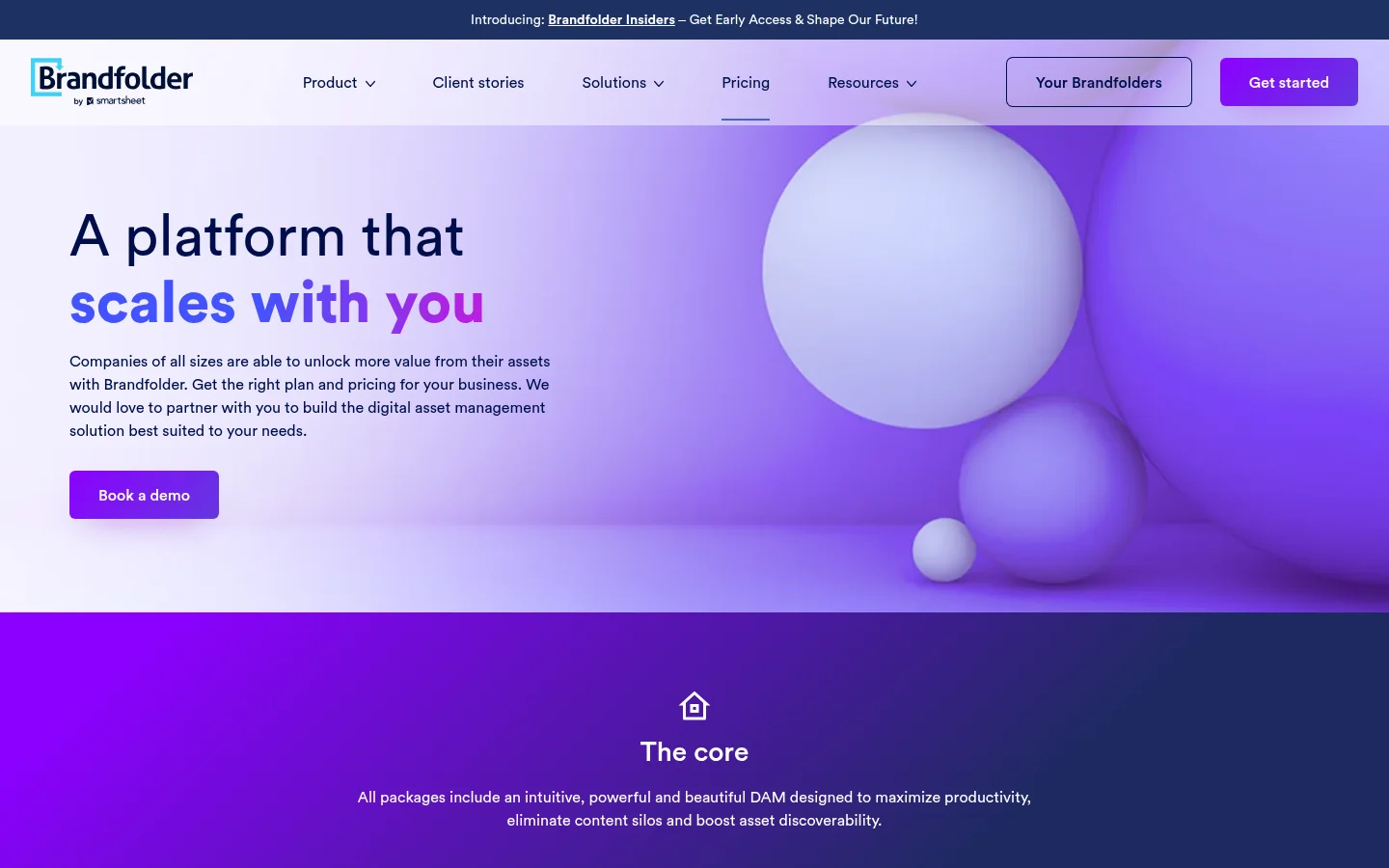
Brandfolder's pricing page asks you to book a demo for plans and pricing, and its FAQ points prospects to a demo Brandfolder and an overview video instead of a free trial. Ask for a written quote and check what it includes.
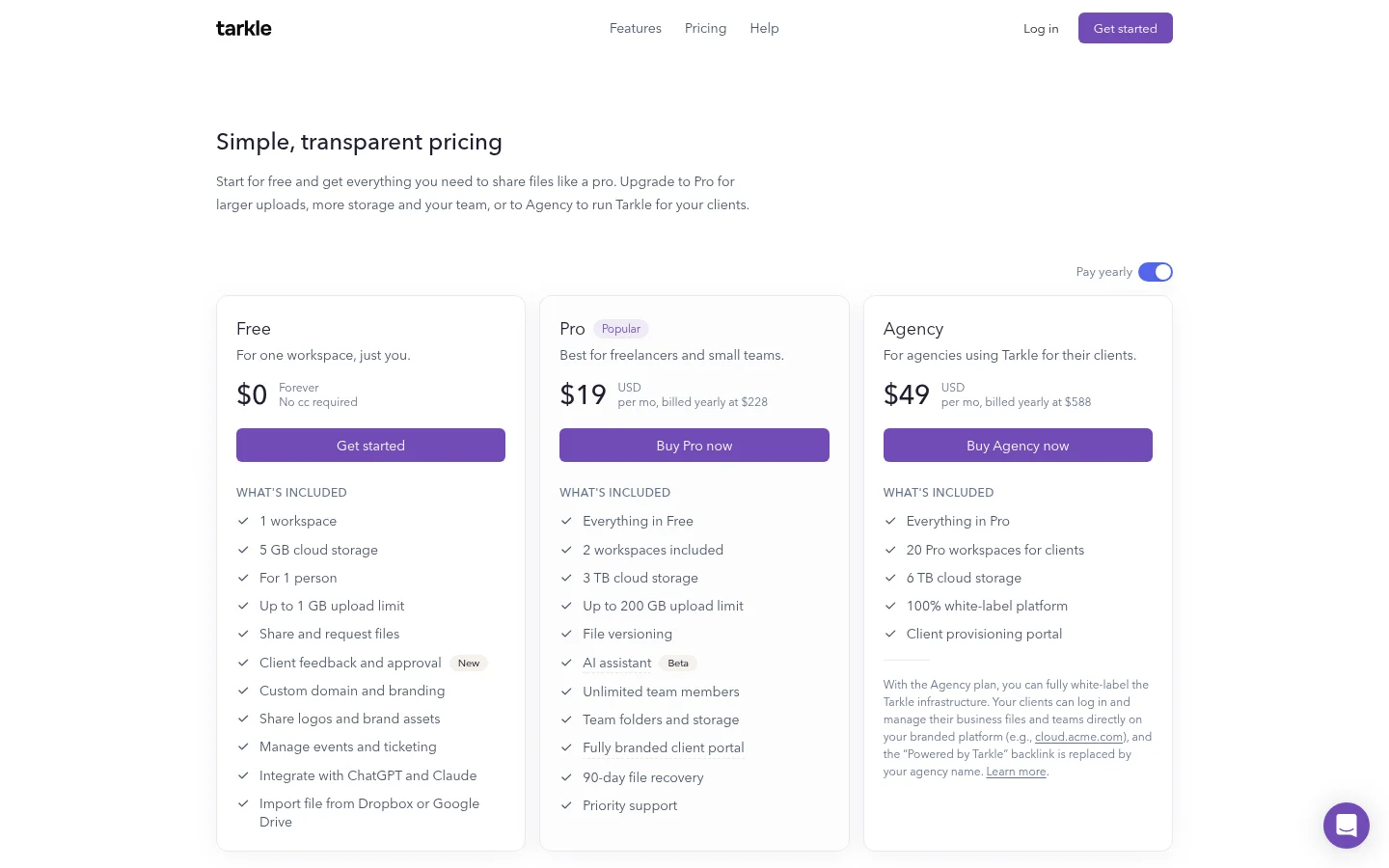
Tarkle publishes its prices. Free is $0 forever, with no credit card required. Pro is $29 a month, or $19 a month billed yearly ($228). Agency is $59 a month, or $49 a month billed yearly ($588). The pricing page lists what each plan includes.
Next step: test a brand page with one real client
Pick one brand, add its logos, colours, fonts and a few images, and send the page to a client or teammate. If they find what they need without asking you, a full asset manager would be more than you need today. If they ask for search, approvals or more brands than you can manage, you have your answer, and a demo of a DAM will be time well spent.
What to remember about Tarkle
Tarkle puts a brand's logos, colours, fonts and images on one clean page, to use inside your team or share with a client. Free includes 1 brand page, one seat and client feedback and approval, and Pro adds unlimited brand pages and unlimited team members. For AI-powered search across a large library, a DAM such as Brandfolder is the closer fit. Start for free.